


Photo Video Maker With Music
4.52.37K Reviews
App Specs
- Version
- 2.5.93
- Updated On
- License
- Free
- Downloads
- 50,000,000+
- Developer
- Eco Mobile Editor
- Categories
- Video Players & Editors
- Platform
- Android, iOS
Screenshots
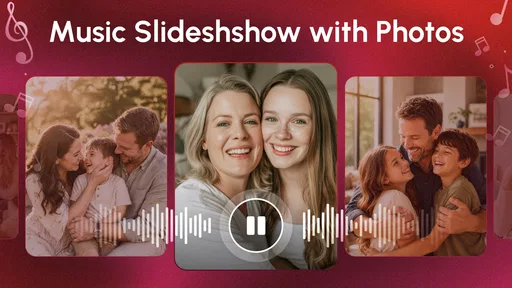
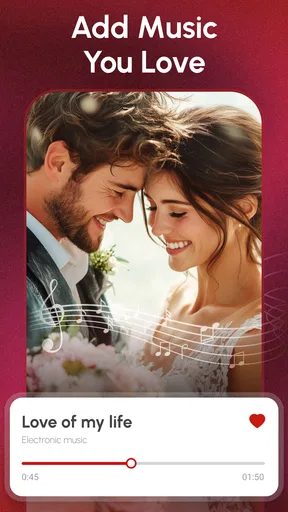
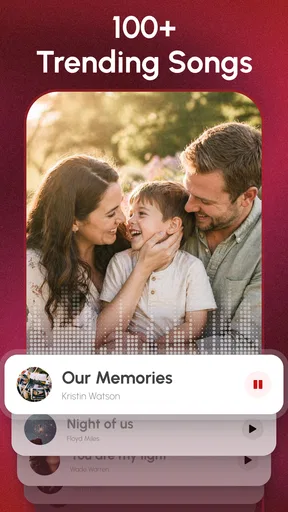
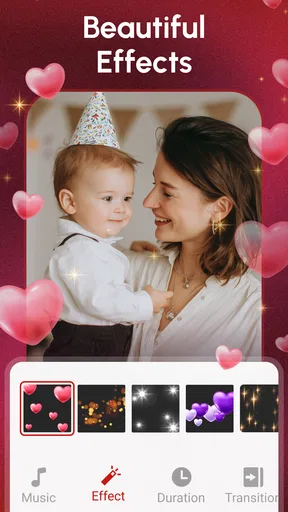

 Analysis by AppCompare
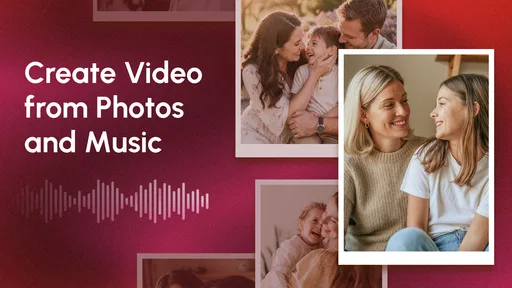
I often start a photo-video project expecting it to take a minute, then get held up by small choices: which pictures belong together, how quickly they should appear, and whether the music suits the moment. Photo Video Maker With Music is aimed at making that kind of lightweight editing approachable. It is a video-making app from Eco Mobile Editor, and its focus is turning selected photos into a finished sequence rather than asking you to learn a full editing suite. I find that appealing when the goal is a shareable memory, not a film project.
Where the first snags tend to happen
The simplest part is selecting pictures; deciding on a good sequence is where a little planning pays off. Before opening a project, I’d choose a small group of photos that tell one story, such as a family visit or a day out, and put the strongest image near the start. That makes it easier to judge the pacing and reduces the temptation to keep adding pictures just because they are available.
A second common sticking point is trying to make every image do too much. A montage usually feels more coherent when the photos share a subject or mood. If a few images are much darker or busier than the rest, filters and transitions may not make them feel like they belong together. I’d leave those out rather than spend time trying to force a consistent look.
Small checks before you begin
Because the project depends on photos and music, I’d first check that the pictures I want are available in the device gallery and that I can identify the audio I plan to use. If I’m choosing music from the app’s library, I can audition that direction before fine-tuning the image sequence. If I want to add my own track, it helps to know where it is stored rather than interrupting the edit to search for it.
The app is free to download and is rated for Everyone, which makes it approachable for casual use. It has a 4.6 average from around 230,000 ratings and more than 50 million installs, so it has reached a broad audience. Optional in-app purchases range from $1.99 to $65.60 per item, so I’d look carefully at any purchase screen and make sure the option suits my needs before confirming anything.
Making a photo video without turning it into a project
The main screen presents you with an option to start a new project. You can either choose photos from your gallery or capture new ones directly through the app. What I found particularly handy was the ability to select multiple photos at once, saving you a ton of time.
Creating a sequence with a clear rhythm
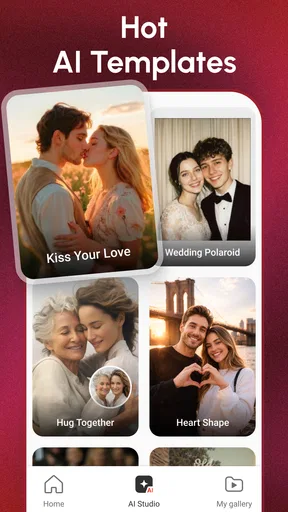
After selecting your photos, it’s time to add some flair. The app offers a wide range of templates and transitions that can make your video pop. Whether you’re going for something simple and elegant or fun and quirky, there’s something here for everyone. I personally loved the variety of options available, and it was nearly impossible to pick a favorite.
Worth Reading Before You Choose

Flipboard Shows What News Apps Must Do Beyond the Feed

Switching to Android Auto Means Rethinking Your Driving Routine

Google Calendar Makes a Crowded Week Easier to Manage

Ludo King Makes the Most of the Minutes Between Plans

Baby Panda World Brings Quick Play to Modern Phones, but Its Game Library Feels Busy

ESPN’s Live Game View Makes Following Close Games Easier
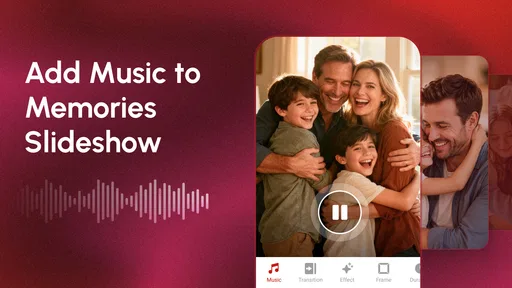
Now, what’s a video without music? The Photo Video Maker With Music shines here too. You can choose from its built-in library of tunes or add your own music. I tried both options and was impressed with how seamlessly the app integrated the music into the video, ensuring everything syncs perfectly.
A useful way to keep the edit from getting fussy is to make one decision at a time: settle on the image order, try a template, then listen to the music with the sequence playing. A track that sounds good by itself may feel too energetic for quiet family photos, while a gentle one can make an active day seem slower than it was. If the result feels off, changing the track or removing a transition may help more than adding another effect.
Adjustments that matter more than decoration
One of the standout features is the editing tools. You can adjust the duration of each photo, add text overlays, and even apply filters to give your video that extra touch of personality. I spent a good chunk of time playing around with these features, and it’s safe to say the possibilities are endless.
For a birthday greeting, I’d use text sparingly: a short opening message or a final note is easier to read than captions competing with every photo. Adjusting how long an image stays on screen can also give a group photo or a meaningful moment room to register. These details have a bigger effect on whether a montage feels personal than piling on decorations.
Getting unstuck and protecting your work
If a selection or edit doesn’t look right, I’d make a small change and preview the whole sequence again before rebuilding it. That helps separate a problem with one photo’s timing from a broader issue with the template or music. If the app closes or the result is not what I expected, reopening the project and checking the image order and chosen audio is a sensible first step; I would avoid making several changes at once because it becomes harder to spot what fixed the issue.
For an important event, I’d also keep the original photos untouched and wait until the finished video has exported successfully before clearing anything from the device. A separate copy of the source images gives me a way to start again if I change my mind about the sequence. That is especially useful when preparing a gift or a family recap that I may want to revise later.
Sharing with the right expectations
For those who love sharing their creations, the app makes it super easy. With a tap, you can share your video on social media platforms like Instagram, Facebook, or even directly with friends and family. The app ensures that your videos are exported in high quality, so you don’t have to worry about losing any of the magic.
In practice, I’d preview the exported file before sending it, especially if the video is meant for a particular social platform or a group chat. The viewing context matters: a montage that looks fine on a phone may feel too long when someone is scrolling quickly, and text that is readable while editing may be small on another screen. Sharing directly is convenient, but keeping a copy of the finished video also makes it easier to send it somewhere else later.
How it feels in everyday use
One thing I always consider with apps is how well they perform, especially on different devices. The Photo Video Maker With Music runs smoothly without any noticeable lag, even when I loaded it up with tons of photos and effects. It’s also worth mentioning that the app doesn’t drain your battery too quickly, which is a huge plus when you’re on the go.
The app is designed to be intuitive. Even if you’re new to video editing, you’ll find the learning curve to be quite gentle. A quick tip: take advantage of the app’s tutorials if you’re looking to explore deeper functionalities.
For example, after a day trip I might choose a handful of pictures at home, arrange them from the journey to the best moment and finish, then try a fitting track and a restrained transition style. That workflow is more reliable than building a montage on the move while deciding what the story is. If I’m making a quick birthday greeting, I’d use a shorter selection and a clear closing message; for a longer family recap, I’d be more selective about pacing so it doesn’t become a slideshow of every picture I took.
When another editor makes more sense
This app is best suited to people who want a guided route from photos to a music-backed video. Compared with a general video editor, its photo-first approach can make the basic task feel less intimidating. The trade-off is that someone who wants precise control over a complicated timeline, detailed audio mixing, or extensive scene-by-scene editing may be happier with a more advanced editor. For a simple montage, that extra complexity can be unnecessary; for a carefully produced project, it can be worth having.
It also isn’t the right tool if what I need is primarily to edit existing video footage rather than build something around still images. In that case, I’d choose an editor designed around clips and timeline control. For people who mainly want to arrange photos, add music, and share a finished memory, the focused workflow is a better fit than learning features they may never use.
What to expect from the app over time
Its current version is 2.5.83, and it runs on Android 8.0 or later. That makes checking the device’s operating system a useful first step if installation is unavailable. The app was released on October 30, 2018, and it remains a free download, although individual in-app purchases can cost from $1.99 to $65.60. I’d treat the free option as a way to see whether the workflow suits me, and review the terms of any paid item before buying.
In terms of areas for improvement, I’d say the app could benefit from more frequent updates. While the current selection of features and music is impressive, regular updates would keep it fresh and engaging for long-term users. Additionally, a cloud save option would be a fantastic addition, allowing users to access their projects from multiple devices.
Who I’d recommend it to
I’d recommend it to someone who wants to turn a small set of photos into a personal video without first studying a professional editing tool. It can work well for a birthday message, a holiday recap, a school or club memory, or a quick montage to send to relatives. The combination of templates, transitions, photo timing, text, filters, and music gives casual creators enough room to make the result feel considered.
I’d suggest skipping it if your priority is exact control over every edit, a highly elaborate production, or a workflow centered on video clips. It is also worth choosing photos and music thoughtfully before editing; a quick interface can speed up assembly, but it cannot decide which moments matter or make mismatched material feel unified. For those who want a lightweight photo-video maker, that is a fair and useful division of labor.
A practical verdict
Overall, the Photo Video Maker With Music is a delightful app that offers plenty of creative possibilities. Whether you’re looking to make a quick video for a birthday or a detailed montage for a special occasion, this app has you covered. With its straightforward interface and robust features, it’s a must-have for anyone who loves turning their photos into memories.
So, if you’re ready to unleash your creativity, give this app a try and start crafting your own video masterpieces. Trust me, once you start, you won’t want to stop!
Pros
- Easy-to-use interface for quick edits.
- Wide range of music tracks available.
- Supports high-quality video exports.
- Numerous photo and video effects.
- Seamless social media sharing.
Cons
- Limited free version features.
- Occasional in-app ads can be intrusive.
- Requires internet for music updates.
- Some effects require premium purchase.
- Can be resource-intensive on older devices.
FAQs for Photo Video Maker With Music
What is Photo Video Maker With Music?
Photo Video Maker With Music is an app that allows users to create video slideshows using their photos. It offers a range of editing tools and music options to enhance your creations. This app is designed for both beginners and advanced users, providing an intuitive interface and easy-to-use features.
Can I use my own music with Photo Video Maker With Music?
Yes, you can upload your own music to personalize your video slideshows. The app supports various audio formats, allowing you to sync your favorite tracks with your images. Additionally, it offers a library of free music to choose from if you prefer not to use your own.
Is Photo Video Maker With Music free to use?
The app offers a free version with basic features, but it may include ads or watermarks on the final video. For an ad-free experience and access to premium features, such as advanced editing tools and additional music options, you may need to purchase a subscription or a one-time license.
What devices are compatible with Photo Video Maker With Music?
Photo Video Maker With Music is available for both Android and iOS devices. It supports a wide range of smartphones and tablets, but it’s always a good idea to check the app store for specific device compatibility and the required operating system version before downloading.
How easy is it to share videos created with Photo Video Maker With Music?
Sharing your creations is simple with this app. Once you’ve finished editing, you can quickly share your video via social media platforms, email, or messaging apps. The app provides options to export videos in different resolutions, ensuring compatibility with various sharing platforms.


